Chase a Storm Updates & Patch Notes
Season drops, new interceptors, badges, and how to follow nonlethal studios.
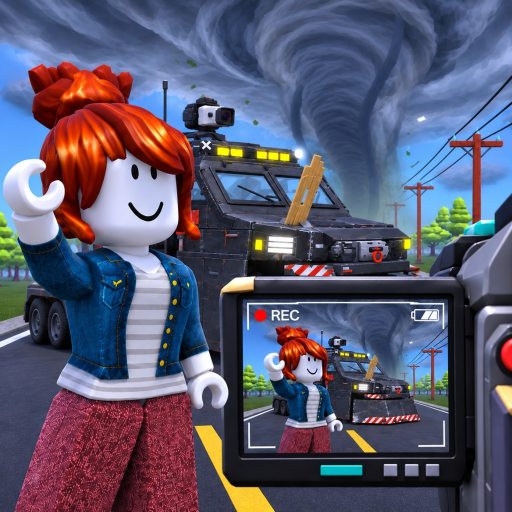
The Updates Hub tracks Chase a Storm! patch timing, Season content, and garage changes from nonlethal studios. Roblox storm-chasing metas move fast: a single Season drop can add interceptors, reshuffle day badges, and change which truck you should unlock next. Use this page as the timeline index, then open dedicated notes like Season 2 for detail.
Snapshot timeline
| Date (approx.) | Milestone |
|---|---|
| Nov 9, 2026 | Chase a Storm created / early public wave |
| ~Nov 21, 2026 | Season 2 window — new interceptors & continued days |
| Nov 2026 onward | Visit count climbed (~1.4M class); group community grew |
Exact hour stamps can differ by timezone and Roblox rollout. When in doubt, trust the experience page “Updated” field and the nonlethal studios wall.
What usually changes in a Chase a Storm update
- Garage / interceptors — Season 2 highlighted six new interceptors (Dominus 2, Dominus 3, Siv 2, USAV, and more). Tier order shifts; reread Vehicles.
- Days & badges — Base days 1–7 plus Season 2 days; badges for lightning strike, tornado encounters, and mystery ???.
- Economy / upgrades — Storm Points sinks between chases may be tuned; adjust your spend plan.
- QoL / UI — Menu labels (including any Codes button) can move—see Codes Hub and Controls.
- Tornado mix — Rope, cone, wedge, multi-vortex, rain-wrapped, and fire remain core fantasy; spawn weighting can still change.
Featured update pages
- Season 2 notes — interceptors, day badges, and practical checklist after the November 2026 drop.
More patch files will land under this hub as nonlethal ships named updates. Set featured on timely notes so they surface on the home page explore modules.
How to verify a patch yourself
- Open the Roblox experience and check the updated timestamp and description changelog if present.
- Read the latest group shout or wall post from nonlethal studios (~91k members).
- Launch a private or low-stakes server and inspect the garage list for new interceptors.
- Run one film chase to confirm camcorder/HUD behavior before a badge attempt.
- Cross-check community tier takes, then update your unlock plan via the Tier List Hub.
Do not trust random “leak” images that promise free Dominus unlocks through executors—read Scripts safety notes.
After every major update: player checklist
- Rebind or re-learn prompts on Controls & HUD.
- Reassess film vs intercept vehicle picks on Vehicles.
- Skim Getting Started if onboarding friends into a new Season.
- Check whether any promo codes launched with the patch (Codes).
- Review co-op roles on the Players Hub so new rides get the right drivers.
Why this hub stays concise
Patch pages should be factual and actionable—not changelog novels. Each child page targets one Season or named drop with: what shipped, what to unlock, what badges matter, and which wiki pages to reread. If two hotfixes only tweak typos, they may be folded into the parent Season article instead of flooding navigation.
Related hubs
Frequently Asked Questions
Quick answers for Chase a Storm chasers.
When did Chase a Storm release?
The experience was created around November 9, 2026. Season 2 followed near November 21, 2026. Always confirm timestamps on the Roblox page.
What is the biggest Season 2 change?
A major garage expansion with six new interceptors (including Dominus 2, Dominus 3, Siv 2, and USAV) plus continued day/badge progression. See the Season 2 page.
Where do developers post update notes?
Watch the nonlethal studios Roblox group wall and shouts, plus the experience description when it changes.
Do updates reset my truck progress?
Most Roblox Seasons keep unlocks, but always read patch text. Re-test handling after balance changes even if your Dominus remains owned.
How should I spend Storm Points after a patch?
Fix whatever the new meta punishes—battery, toughness, or a newly buffed interceptor. Recheck the vehicles tier list before big spends.